Clean
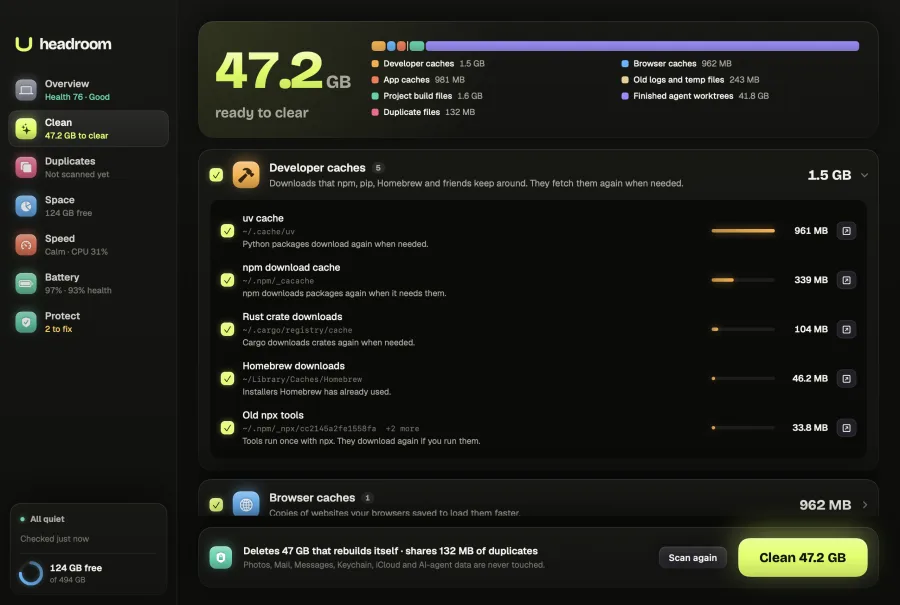
Every item comes with its size, its path and what happens when it goes.
- Only things that rebuild themselves are ticked
- Skips projects you have open right now
- Photos, Mail, Messages and iCloud are never touched
See what fills your Mac’s disk, slows it down or starts without asking. Headroom fixes it only when you say so.
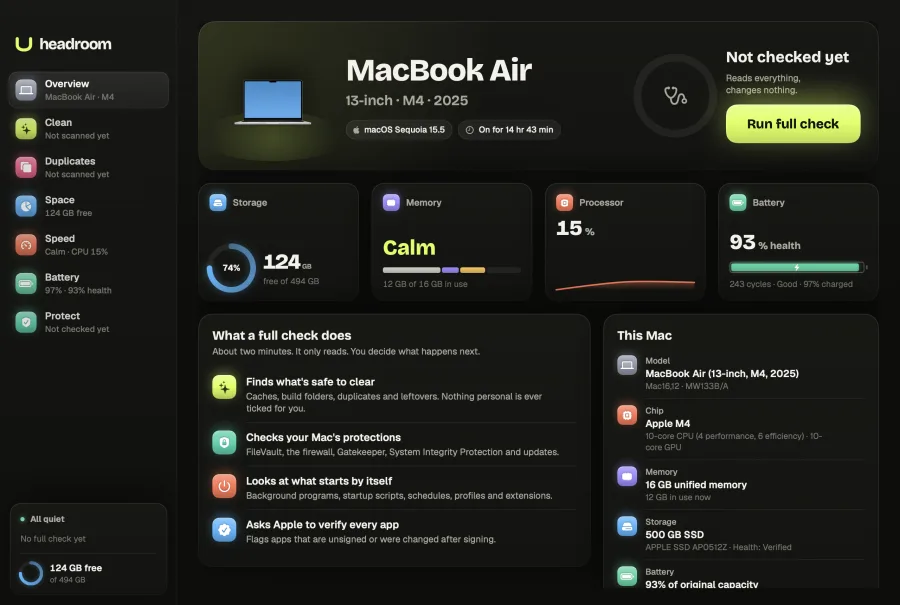
Behind the Headroom mark sits the app’s Overview screen: a 13-inch MacBook Air with M4, its storage, memory, processor and battery at a glance, and a button to run a full check.
Everything that fills, slows or exposes your Mac, explained in plain words before anything changes.
Clears caches, old builds and leftovers that rebuild themselves.
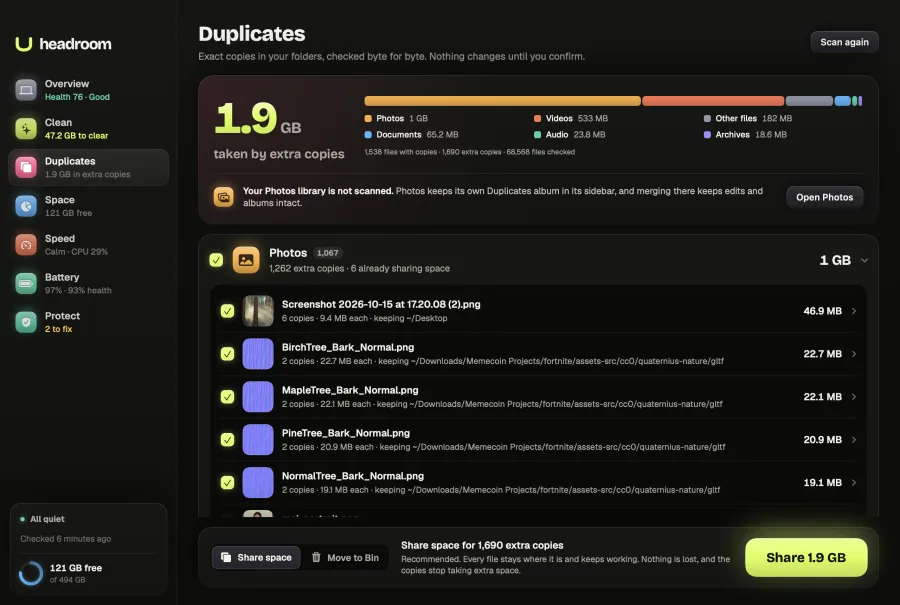
Finds exact copies, byte for byte, and frees the space they take.
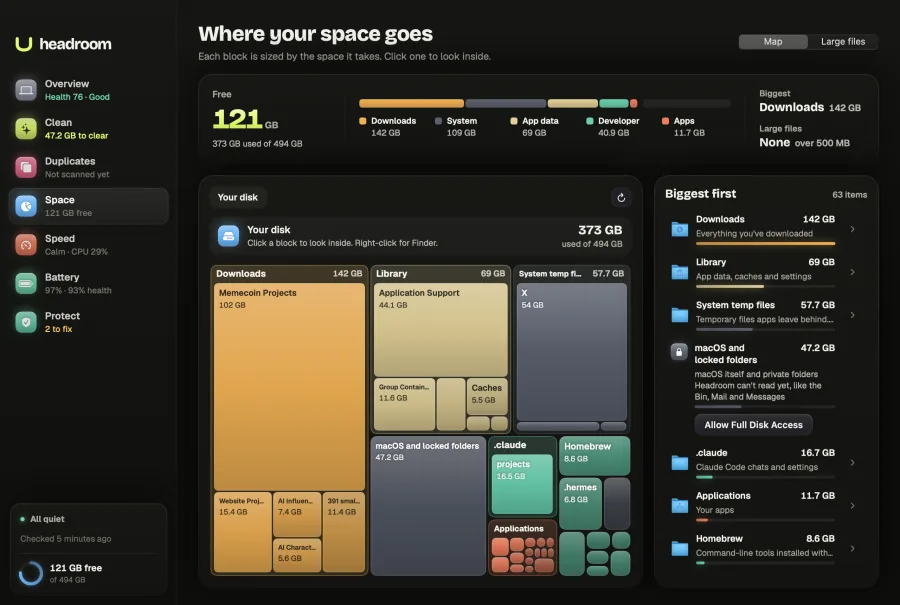
Maps your whole disk, so the biggest folders are obvious at a glance.
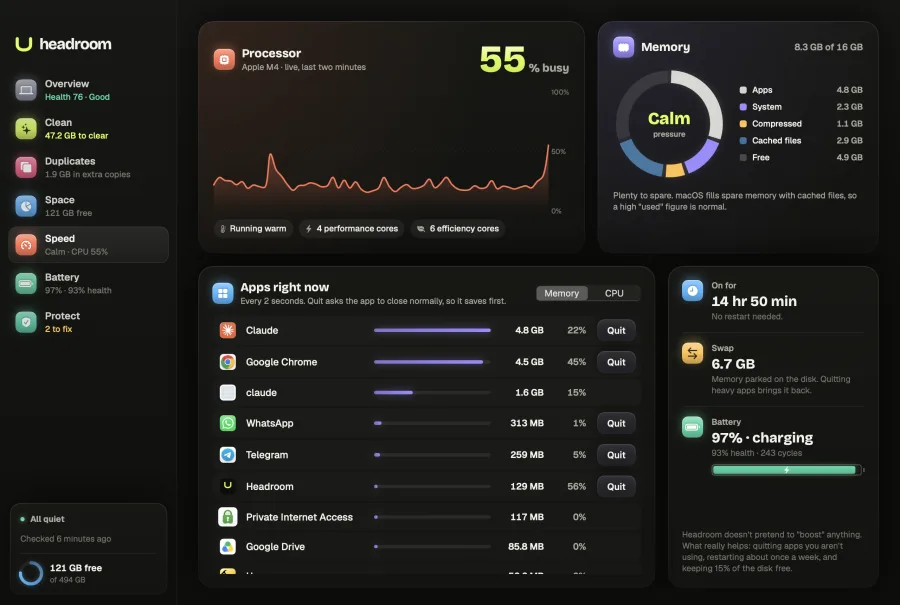
Shows live CPU and memory, and the apps using the most of each.
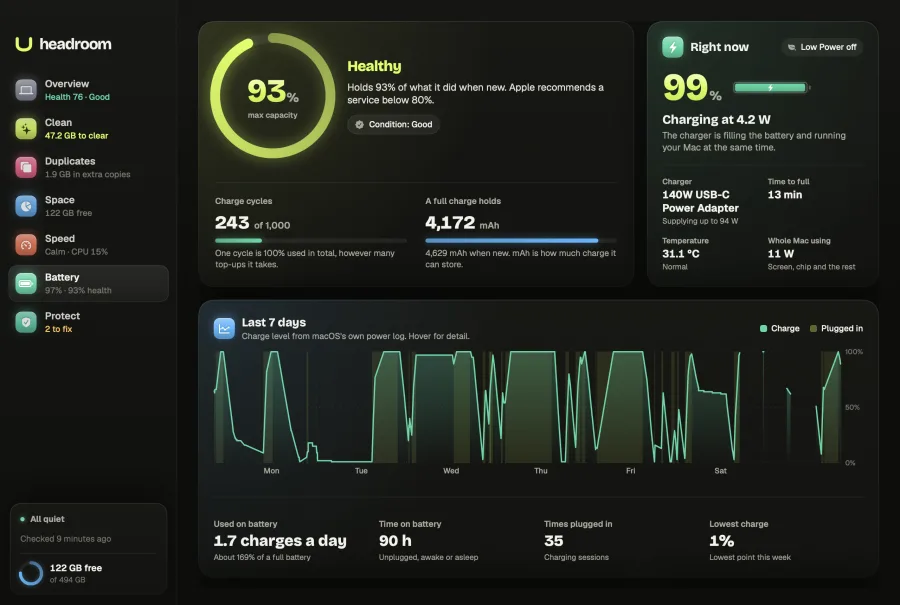
Tracks health, charge cycles and a week of charge history.
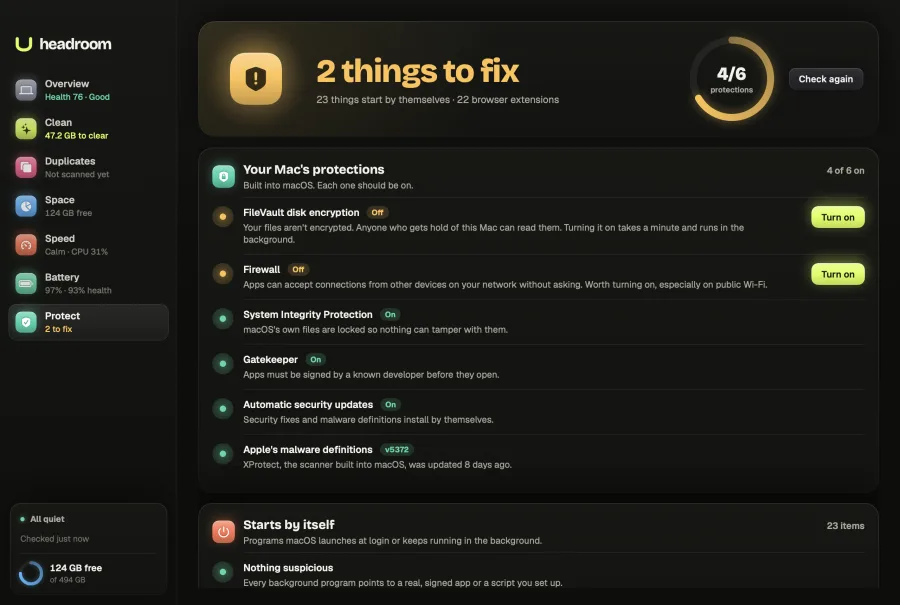
Checks macOS’s own protections and everything that starts by itself.
Every item comes with its size, its path and what happens when it goes.
Exact copies, checked byte for byte and grouped by type.
A map of your whole disk, every block sized by the space it takes.
Live CPU and memory, and the apps using the most of each.
How your battery is ageing, read from macOS’s own power log.
macOS’s own protections, and every program that starts by itself.
Download and see everything.
$19, one payment.
One payment. Yours forever. Up to 3 Macs. No subscription.
Never touches Photos, Mail, Messages, iCloud or Keychain.
Extra copies go to the Bin or become space-sharing clones, so nothing is lost.
Your files never leave your Mac.
The only network request checks your licence key.
once
Signed and notarised by Apple.
Downloading and scanning. Without paying you can see the disk map, find duplicates and large files, check battery health, watch live speed and run the security check. Paying once unlocks one-click cleaning, removing duplicates, moving large files to the Bin, fixing security issues and turning off startup items.
You pay $19 once. Your licence key shows after payment and arrives by email. Paste it into Headroom with Enter Licence Key. One key works on up to 3 Macs, with no subscription.
Headroom only changes what you tick, and explains each item first. It never touches Photos, Mail, Messages, iCloud or Keychain. Extra copies go to the Bin or become space-sharing clones, so nothing is lost, and build folders are never offered from a project you have open.
Apple Silicon Macs running macOS 14 or later.
Yes, within 30 days. Reply to your receipt email or use the Polar customer portal. Polar is the merchant of record and handles payment, tax and invoices. Read the refund policy.
No. Your files never leave your Mac. The only network request Headroom makes checks your licence key with Polar.